Todos os dias oferecemos software com licenças GRATUITAS que do contrário você teria que comprar!
Giveaway of the day — Drive Copy 10 Personal Special Edition (English Version)
Drive Copy 10 Personal Special Edition (English Version) esteve disponível como oferta em 16 de setembro de 2010
Drive Copy 10 Personal is a perfect tool for creating a virtual clone of your PC, including operating system, drivers and settings, all your applications and files. Save it to the USB hard drive and use it on another computer, just as if you're working from your own PC!
Paragon Drive Copy 10 Personal is the latest version that contains all updates and bug fixes! All operations are performed with increased speed and stability.
Key features:
- Windows 7 Support (32/64-bit). Accomplish any operation under Windows 7
- Copy Features. Copy a full hard disk or a separate partition, and resize a partition while copying
- Scheduling for copy operations. Set up a timetable for copy operations with new flexibility.
- Refined User Interface. Improved two-level user interface (Easy/Advanced) to satisfy the needs of every customer.
- Support for major virtual machines. MS Virtual PC, VMware Workstation, VMware Fusion.
- Now support for Linux ExtFS, Apple HFS+.
- Wide migration options. Migrate to another hard drive, migrate to different hardware, migrate to virtual machine, migrate your Apple hard drive.
- P2V Copy. Migrate a Win2K+ physical system to a virtual environment.
- P2P Adjust OS. Make OS start up after unsuccessful migration with 3rd party tools.
- Simple Backup and Restore Wizard. Make the process of adding new drivers even more smooth and easy.
3 steps to make your system mobile with Drive Copy 10 Personal Special Edition:
1. Create a virtual clone on your PC. Including operating system, drivers and settings, all your applications and files.
2. You can choose the format of your virtual environment. Choose format you prefer –VMWARE or MS Virtual PC. New users can download a virtual player from the official site of preferred vendor for free.
3. Save a virtual clone of your PC to a USB hard drive. Save a virtual player on the same disk as well and use your PC anywhere.
Your PC is in your pocket now! Use Drive Copy 10 Personal Special Edition and easily migrate to new hard drive or even different hardware without reinstalling, create backup images of your hard drive, and perform basic partitioning operations and even more!
Detailed Product information is available at Paragon Drive Copy 10 Personal Edition website
Limitations: No WinPE included in this download
Technical Support: During the Giveaway period Paragon Software provides technical support at http://twitter.com/paragonsoftware. Please, post your questions if you have any troubles while downloading, registering and using the software. Paragon Software’s support team will reply you as soon as possible.
If you are x64 OS user please follow the link here (file size: 101 MB)
Requisitos do Sistema:
Windows XP Home Edition, XP Professional SP1/SP2 (x32/x64), 2000 Professional SP4, Vista (x32/x64), 7 (x32/x64); CPU Intel Pentium or compatible/ 300MHz or higher processor; RAM 128 MB; Disk space 40 MB; Limitations: No WinPE included in this download
Publicado por:
Paragon SoftwarePágina Oficial:
http://www.paragon-software.com/home/dc-personal/index.htmlTamanho do arquivo:
101 MB
Preço:
$29.95
Títulos em Destaque
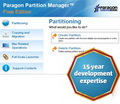
The safest tool for hard drive partitioning! Partitioning is not for amateurs. That is why millions of people have trusted our safe, stable technology and professional software solutions for over 15 years. Our latest Free 11 Edition easily organizes your hard drive and redistributes free space to enhance system performance.
NEW 2010 Advanced Edition - Total PC Protection for Serious Users! Take complete control of your PC’s safety. Based on solid commercial backup and recovery software from Paragon, the new Backup & Recovery 2010 Free Advanced Edition will give you a rich set of features that you can trust. Smart people backup; Backup & Recovery is smart backup.
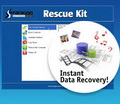
Don't wait for a disaster to strike - get an instant data and system recovery kit today to ensure your protection! Rescue Kit professionally fixes boot problems as well as retrieves your data when your system fails to boot. It even rescues deleted partitions. All, you need to do to achieve complete control over any situation is burn the software on your CD/DVD!
Comentáriosrios do Drive Copy 10 Personal Special Edition (English Version)
Please add a comment explaining the reason behind your vote.

I think MANY GAOTDers will want to know the difference between
Paragon Drive Copy 10 PERSONAL SPECIAL EDITION
and Paragon Drive Copy 9.5 PERSONAL EDITION
since we have the latter and are presently being offered the former....Usually the site gives comparisons between different apps and different version numbers, but not between regular and Special editions....
The issue of not wanting to uninstall our present version of a Paragon app in case the new one doesn't install is a constantly reoccurring question....I have always had trouble with installing over an already-installed Paragon app but have also lost a good P program as a result of having gotten rid ao the ols one and then being unable to install the new one....:-(....

This is another peace of Paragon's great virtualization technology. Long story short, their VM [Virtual Machine] creation apps make a copy of the drive partition with a working/running version of Windows & puts it onto a virtual hard drive -- then it works its magic removing most of the critical hardware drivers from that copy of Windows, inserting those drivers used by whatever brand of VM Host you've chosen [the now virtualized copy of Windows is called the Client]. AND it works the other way too -- the reason you can't, or at least shouldn't just copy Windows from one PC/laptop to another is those critical drivers will usually be different so Windows won't work... now those can be changed, the same way Paragon's software replaced those drivers for the VM, plus you can supply drivers that don't come with Windows. AFAIK the only competition is a free tool by SysInternals [a part of Microsoft] that doesn't work nearly so well, having some rather serious limitations. Looking at the Paragon site, Drive Copy 10 PSE brings some significant improvements -- the biggest/best IMHO is: "... and resize a partition while copying ...". Here's why I think that's so significant...
Windows 7 has the new Windows Virtual PC -- not all versions get the XP Mode VM from Microsoft, but all versions of 7 do get Windows VPC... you just need to download/install. The main advantage is an extremely high level of integration with 7, though to achieve that you need to install an update or two -- 1 allows it to work if you don't have a CPU with VM tech built-in, 1 allows the VM to Auto Publish, 1 comes with Windows VPC to enable Integration etc... Auto Publish means [from the help file]: "If you are running certain versions of Windows as a guest operating system, you can run an application installed in a virtual machine directly from the Start menu of the host operating system." BUT, Windows VPC has a serious limitation -- your Virtual Hard Drive can only be so big or it won't work, and most all Windows installations are on partitions that are way too big. In the past this meant getting the Windows install on a smaller disc/partition 1st by either restoring a backup to a virtual drive & sizing the partition, or creating another type of VM [e.g. Virtual Box] & resizing the partition, then whichever route you took using Paragon software to create a new Windows VPC VM. Resizing the partition during Copy means Drive Copy 10 PSE can save roughly an hour -- the extra time I've usually spent making the partition small. [Getting a VM up & running this way saves a tremendous amount of time -- the alternative is installing Windows plus every app you've got -- but it's still not a quick operation... I won't be able to comment on how well the resize during copy works today.]
Hoping those running Macs will forgive me for skipping over their VM hosts, the big 3 virtual hosts are Microsoft's Windows VPC [and just VPC before that], Oracle's Virtual Box, & VMWare's line of products. While it has it fans, VPC was in 3rd place until the Windows 7 version, Virtual Box is the open source darling that works extremely well [And has an unofficial Portable Version], while the VMWare line is used by biz worldwide. Drive Copy 10 PSE works with all 3. VMWare has a few free hosting apps or environs -- the most popular is their Player which handles VMs created in their *Other* apps... I've been unsuccessful in trying to create a VMWare VM with Paragon software that will just boot up in the Player. VBox & Windows VPC have had no problems, with a few, Windows-based caveats...
One problem will hopefully be solved by Drive Copy 10 PSE: "Fix most system boot problems...". If you dual boot into Vista/7 you probably use their BCD loader, which in turn triggers XP's boot loader for example. If/when you have that sort of setup & create a VM from an earlier version like XP, the BCD part is not included so XP won't boot until you boot the VM into Recovery Console & run Windows' Fix Boot from the command line. The hard part [assuming you know where your XP install disc is ;-) ] is booting to the CD -- it's not *really* hard, & there are plenty of directions on-line, but it throws you at first. :-)
One problem Paragon can't solve means that if you want to create a Vista Home Premium VM you likely want to skip Windows VPC... it relies on Remote Desktop etc to give you all that integration, & Remote Desktop is severely restricted by design in Vista HP [you were supposed to buy a different version of Vista if you wanted that :-( ]. The hacks don't seem to work [I tried all 3]. Another problem is hardware-based software, like ATI's Catalyst Control Center, or the Creative apps for their Soundblaster line -- these will still be set to run when you 1st fire up your new VM, & without the required hardware, they can behave unpredictably. Antivirus software can also be a problem -- turn off realtime scanning *before* you create your VM... I uninstall McAfee from VMs & found MCPR.exe from their site works very well to remove all traces. Remember that until you get things running smoothly, get the add-ons or integration installed etc [all 3 VMs have such things that you install after the VM's running], you might not be able to get any files in or out of your VM unless they're in an ISO image or on a CD/DVD... thinking ahead and having whatever in a folder on the partition you're going to virtualize can prove to be invaluable.
Finally, running AMD-based PCs I've had enormous problems if/when any AMD/ATI drivers survive the conversion to VM, *especially* their PCI Express system driver [update that driver to plain PCI in Device Mgr] -- they can make the installation of drivers & integration you need in any of the VMs impossible.
HINT for users with other mother tongue:
the registered DLLs (which differ from those of the trial-versions) are just these two files:
a) hdm.dll
b) backuplib.dll
e.g., using GERMAN language:
- Download the german trial version from Paragon
- install it
- download the GODT-version
- extract as usual
- from the now created(extracted) file .msi extract the both mentioned dll´s (u can use the tool "UniExtract"!)
- copy the two dll´s into the program´s folder (overwrite the versions of the trial package)
thats all!
I spoke too soon..
Downloaded and tried to install, but Program required reboot before pop up Registration Window appeared.. Entered the product Code etc and it then commenced to install. Shortly thereafter my System Crashed..Big Time.. Windows 7 "Startup Repair" failed and then also the "System Restore" .. Tried an earlier Restore point and it only just recovered..
Rather disappointing..
It's recommended to uninstall previous version of the program prior to installing new download. Other products (like Partition Manager) may stay in the system.
This new 10 Specila Edition version has new P2V tools which were not present in version 9.5.
To Al:
Here is further proof….Installation file name: DC10_Pers_x32.msi — 32 bit install
If you read through product description carefully, you will see a separate link to 64-bit version of Drive Copy: http://files.giveawayoftheday.com/ParagonDC10_x64.zip
ofertas de hoje de iPhones »




Poxa até q enfim... Cheguei bem! Mas... english version Meu SO esta em PT/BR. Algum problema? porque hoje em dia ta tudo meio amarrado... já tive/tenho software q não funcionava in draive english. E nada a ver com "nao oficializaçoes". Mas vou testar e posto aqui. A paragon nao vai me decepcionar nesta (mas tenho receios com GAOTD q pelo q andei vendo ha horas em q "nao eh bem assim" ne?)
Save | Cancel
Fantastico!!!!! este programa é show.......obrigado GAOTD......
Save | Cancel
A oferta fala em Paragon Disk Copy e o arquivo de instalação quer instalar o Paragon Partition Manager!!! Não entendi a jogada.
Save | Cancel
gostaria de testar o programa.
Save | Cancel
gostaria de receber o programa, pois já ouvi vários comentários sobre o mesmo, e me parece ser muito bom.
Save | Cancel
Gente, não estou conseguindo registrar... aparece a mensagem
The page you are looking for is temporarily unavailable.
Please try again later.
Save | Cancel
Então com a página de registar em baixo como se faz o registo????
Save | Cancel
Esse vale a pena.
Já está instalado e funcionando.
Save | Cancel
Realmente, muito bom. E olha que hoje são dois programas ofertados. Parabéns ao GAOTD.
Save | Cancel
Caraca, não falei?!
PARABÉNS à equioe do GAOTD por estas PÉROLAS!
Há muito tempo que conheço e utilizo softwares da Paragon, e atesto sua eficácia e confiabilidade, pois já me salvaram diversas vezes.
Mais uma vez parabéns pelas ótimas oportunidades!
Save | Cancel