Todos os dias oferecemos software com licenças GRATUITAS que do contrário você teria que comprar!
Giveaway of the day — Start Menu X PRO 6.5 SpaceX Edition
Start Menu X PRO 6.5 SpaceX Edition esteve disponível como oferta em 22 de dezembro de 2019

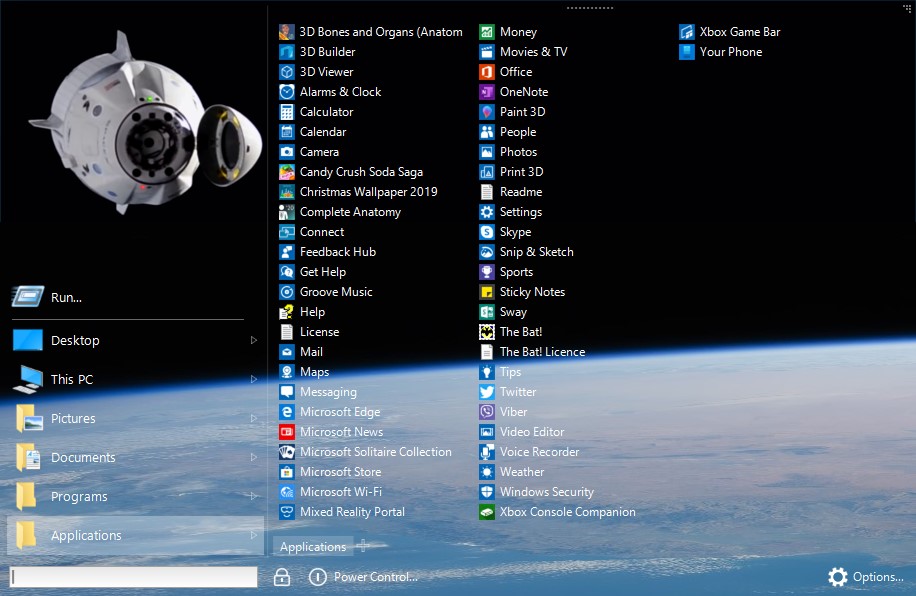
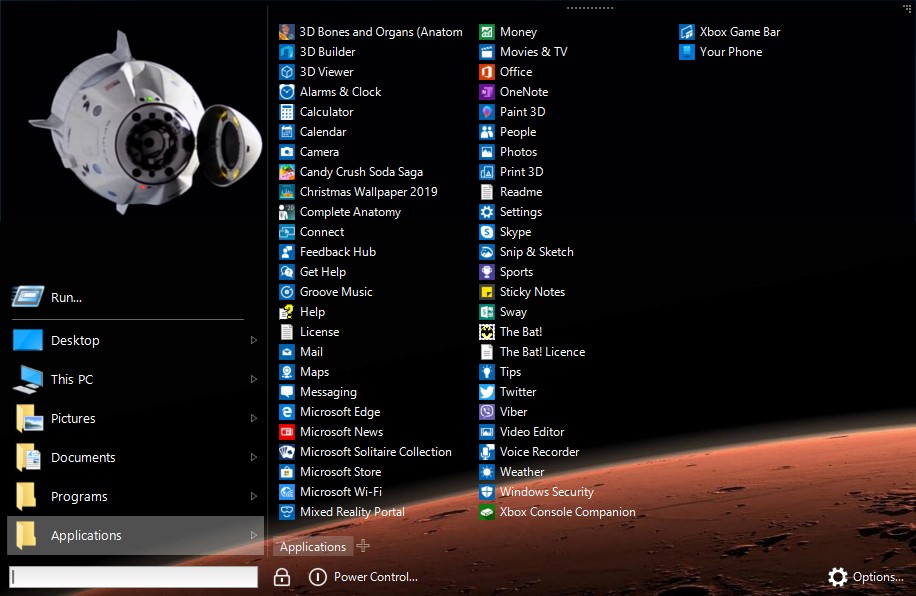

Celebrar o primeiro pouso de um orbital foguete da primeira fase da terra! Menu iniciar X é um substituto do menu do sistema para os profissionais. Agora incluem alucinante SpaceX com a pele incrível animação. Trazer um pouco de espaço para o seu menu iniciar!
Lançamento de programas sem a necessidade de rolagem, extra cliques e movimentos do Menu Iniciar X.
- Grupo de programas por finalidade (aplicações de escritório, gráficos, etc.) sem alterar a sua localização no disco rígido.
- A versão PRO permite que você atribua um principal programa para qualquer pasta e iniciá-lo simplesmente clicando em esta pasta.
- Personalizar o menu para o seu gosto! Alterar a estrutura e adicionar guias.
- Menu iniciar X é uma personificação de nossos 12 anos de experiência no desenvolvimento de alternativas de soluções de cardápio.
The current text is the result of machine translation. You can help us improve it.
Requisitos do Sistema:
Windows XP/ Vista/ 7/ 8/ 8.1/ 10 (x32/x64)
Publicado por:
OrdinarySoftPágina Oficial:
http://www.startmenux.com/index.htmlTamanho do arquivo:
16.5 MB
Preço:
$19.99
Títulos em Destaque

Este livro é dedicado a proeminentes cientistas e inventores, brilhantes engenheiros e programadores, e todas aquelas pessoas que fazer uma mudança e dar um sentido de esperança para a humanidade. Vamos tentar descobrir qual é a sua maneira de pensar e o que os torna tão eficiente na resolução de problemas. Nosso contemporâneo Elon Musk é um exemplo de como uma afiada pessoa.
GIVEAWAY download basket




ofertas de hoje de iPhones »





Comentáriosrios do Start Menu X PRO 6.5 SpaceX Edition
Please add a comment explaining the reason behind your vote.
Install was flawless. If I had my way all programs should be that simple to install. No gimmicky jumps through hoops to get programs activated.
This version of Start Menu X is simply beautiful.
Save | Cancel
I like the SpaceX skin with amazing animations however I could not see where to add my recent programs I have in start menu for getting to fast like Classic shell offers. Also when using the windows key it only opens the start menu and doesn't show task bar, another thing I do not like about it, so I had to pass.
Save | Cancel
This is the same version already given in Nov.
For some reason when you check options, about it doesn't say anything about "Pro" just "Start Menu X 6.5 (64bit)
Save | Cancel
Can the space animation/skin be turned off and the basic skin be used instead?
Save | Cancel
Mike S.,
Yes several options including a Xmas skin are available. Go to Option - Option then Personalise.
Use the slider to select various skins.
Save | Cancel
Why do I always have so much trouble installing zip files?
Save | Cancel
Carolyn Lillie,
It may be that it is "blocked" by Windows in an attempt to protect itself. I have to "Unblock" every downloaded file before it will behave as expected.
Since our downloads from this website have been pre-screened by the GOTD staff and are considered safe (for the most part, except from the occasional built-in optional/promotional add-ons), remove the following "protection" if present:
Display the "Properties" for the file (either right-click, then select "Properties" from the context menu, or select from the Explorer menu).
Look towards the bottom of the "General" tab to see if there is a check-box for "Unblock" "This file came from another computer and might be blocked to help protect this computer." If so, check it, then click OK button (or Apply then OK -- it doesn't matter for this purpose).
Then try to work with your ZIP and/or install your EXE files. Hope it helps!
Save | Cancel