Todos os dias oferecemos software com licenças GRATUITAS que do contrário você teria que comprar!
Giveaway of the day — Batch Picture Protector 2.1
Batch Picture Protector 2.1 esteve disponível como oferta em 9 de junho de 2011

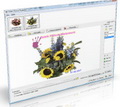
Batch Picture Protector é uma poderosa e fácil ferramenta para inserir marcas d´água em imagens. Ele protege as suas imagens digitais e arte ao inserir marcas d´água transparentes e profissionais que combinam texto, ilustrações e gráficos.
Quando usado em conjunto com o seu software preferido de edição de imagens, uma marca d´água pode conter o seu copyright, a url do seu website url ou a logo da imagem. O Batch Picture Protector é a melhor forma de marcar fotos e protegê-las com rapidez e facilidade. Ele é especialmente útil para designers, artistas e criadores de banners que enviam os seus trabalhos para avaliação dos clientes.
Requisitos do Sistema:
Windows XP/ Vista/ 7
Publicado por:
SoftOrbitsPágina Oficial:
http://www.softorbits.com/batch-picture-watermark/Tamanho do arquivo:
2.91 MB
Preço:
$9.36
Títulos em Destaque

Advanced Woman Calendar é um simples e preciso calendário pessoal de ovulação que monitora o ciclo mestrual. Ele calcula os dias seguros para ter relações sexuais, e lhe ajuda a conseguir ou evitar a gravidez, ou até prever o sexo do bebê.

Batch Picture Resizer é um software especificamente desenhado para automação rápida e simples de tarefas como redimensionamento, conversão e marcas d'água.

Private Photo Album é um álbum fotográfico privado que você pode carregar com você. É perfeito para casais ou adolescentes que querem manter suas fotos suas fotos particulares escondidas em seu computador. O aplicativo inclui um visualizador de imagens embutido e slideshow.

Você deletou arquivos importantes do seu disco, o hard drive foi corrompido ou você formatou o seu disco, perdendo arquivos e pastas? O GRT Soft oferece uma solução de recuperação de dados que pode recuperar e restaurar os seus dados em formato original.
GIVEAWAY download basket


ofertas de hoje de iPhones »





Comentáriosrios do Batch Picture Protector 2.1
Please add a comment explaining the reason behind your vote.
Program installed smoothly on Vista 64-bit, is easy to use, and offers many image-compression-selection, user-designated resolution, and Language-GUI options. Also, watermarked images may be output to JPG, GIF, BMP, PNG, PCX, TIF, TGA, and original-format options. Other features include adding/selecting images as single files, or in multiple groupings by folders, and removing selected individual images, or all images at once. Lastly, user may designate output-folder location for final watermarked image. The only downside I can see (at the moment) is that the GUI may be a bit basic and stark for some people, but someitmes basic can be a nice thing too (depends on a person's viewpoint).
Thanks, GOTD & SoftOrbits, for a nice program - and thanks, John, poster #2, for your link to some freeware alternatives - much appreciated.
Save | Cancel
Well I believe that "TSR Watermark Image Software" is BETTER than this and....FREE!!
Key features of "TSR Watermark Image Software":
· Add text watermark that is either normal, embossed, chiseled or watermarked with a border.
· Automatically rotate the watermarked picture based on the orientation EXIF tag - this is written to the image by many modern cameras.
· Add the text used to watermark the image to the EXIF information in the resulting file.
· Keep or drop EXIF information in jpeg files (Camera model/lense model/etc. etc.)
· Output the watermarked photo to JPEG, TIFF, PNG, BMP, GIF file format.
· Specify the quality of the watermarking output when saving as jpeg images
· Angle the text you use for your photo watermarking
· Insert background watermark in digital images, pictures, photos
· Resize images while watermarking the image/photo
· Watermark your photos using either another image, photo or picture
· Watermark your photos using your own text in the color and style you want to.
· Maintain directory structure in destination directory or combine all BATCH watermarked images into one directory
· Skip or overwrite existing watermarked images/photos in destination directory
· Automatically check for new version of the TSR Watermark Image Software
Full review here:
http://www.softpedia.com/reviews/windows/TSR-Watermark-Image-Software-Review-181442.shtml
Enjoy!!
Save | Cancel
Batch Picture Protector looks to be a nice, small, web production tool with a few limitations that make it not for everybody -- it doesn't zoom out when necessary to show the entire image in the window, it doesn't do 32 bit .png [.png files with alpha transparency], & it doesn't re-size. The 1st means that you'll not likely use Batch Picture Protector for larger images, while the 2nd means if you like to use RGBA .png files, with today's GOTD you can't/won't. And given that many (most?) digital photos/images will be too big for normal use on a web page, a watermarking app that also re-sizes would be much more efficient. I like that you can save boilerplate text &/or images, then turn them on/off individually using checkboxes. And I think the ability to fine tune/adjust watermark placement is great, but there's no real-time preview, & entering +/- X & Y values doesn't shift watermarks in the direction I expected. Another nice touch, Batch Picture Protector can duplicate the original folder structure in the output folder you choose. For creating text watermarks there are several presets [e.g. "DEMO"], & you can set text font, size, color, use a colored rectangular background, & assign a controllable shadow &/or glow. Some people will likely be put off when they see that the included help file includes notices to register the software that was used to produce that help file [IMHO a bit tacky for shareware/payware, but not the end of the world].
Batch Picture Protector is just a 2 file app [3 if you include the help file], though by the time you add a readme & language files etc. you get 30 files, 1 folder, taking up ~3.5 MB. Setup adds an uninstall key to the registry, along with one key for the app & one for the registration data -- you might get a couple more keys related to the Windows Text Services Framework it uses [mentioned because I was surprised when I saw entries for Microsoft Speech].
With it's poor handling of larger images, Batch Picture Protector is best suited, seems designed IMHO for thumbnails &/or the smaller product pictures common to on-line stores, but with those stores at least, watermarking seems to be a vanishing trend... Meritline is one on-line store that has most of their product images watermarked [AFAIK it used to be all of their images, so maybe they're abandoning it too?]. Newegg, Target, Overstock, Woot etc. don't use them. I'm not 100% sure why -- IMHO as a shopper it does cheapen my impression of the store or site, & the universal goal of retail is to encourage you to pay more than bottom dollar [the higher the markup the better]. At any rate if you do choose to add watermarks to folders full of smaller images [with the probable exception of RGBA], Batch Picture Protector seems to be a solid choice.
Save | Cancel
I was toying with the idea of downloading this, but I just don't need batch watermarking capabilities since I don't produce mass images and place them on the net. Those that I do place on the net, are usually free to download and use.
I prefer the old method though. In Photoshop, I just open an image file or PSD and then add a new layer. I use the "Impact" font set to black, size depends on the image size. Rotate it to about 90 degrees and write my watermark. I then set the opacity to around 10 to 20 percent.
Thanks just the same GoTD, looking forward to what tomorrow will bring.
Save | Cancel