Todos os dias oferecemos software com licenças GRATUITAS que do contrário você teria que comprar!
Giveaway of the day — Ultimate Unit Converter
Ultimate Unit Converter esteve disponível como oferta em 4 de maio de 2008

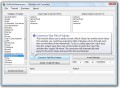
Ultimate Unit Converter - converte lbs em kg, ºC em ºF, graus em radianos, mb em gb, quilómetros em milhas, galões em litros, watts em btu, dias em meses, barris em bushels, mole em kilomole, conversões métricas, conversões imperiais e muito mais! Este conversor de unidades torna simples a conversão do que quer que seja no que desejar!
Converte unidades imperiais, métricas, milhas para quilómetros e muito mais! Um grande recurso para pesos, medidas, cálculos, conversões, métricas, para a geometria escolar ou do trabalho, aplicações de engenharia, matemática e muito mais! A utilização deste software permite converter facilmente entre as seguintes unidades:
- Converte entre unidades de aceleração (cm/s, queda livre, milhas/hora, etc)
- Converte entre unidades angulares (graus, radianos, revoluções, segundos, sextantes)
- Converte áreas (quilómetros/milhas/jardas/etc. quadradas)
- Unidades/espaço/armazenamento virtual (bits/bytes/mb/gb/CD's)
- Converte entre diferentes bases (elevado a 2, base regular, hex e octal)
- Densidade de diferentes tipos de objectos (kg/m, lbs/inch, etc)
- Unidades de energia (kW, joules, calorias, etc)
- Consumo de combustível (litros/km, galões/km)
- Distâncias canadianas, americanas, inglesas e muito mais!
- Muitas outras unidades de conversão estão disponíveis como potência, tempo, pressão, velocidade, volume, pesos e concentrações!
Requisitos do Sistema:
Windows 95/98/Me/NT/2000/XP/2003 Server/Vista
Publicado por:
HotHotSoftwarePágina Oficial:
http://www.hothotsoftware.com/ultimateunitconverter_metric_imperial_software/Tamanho do arquivo:
2.03 MB
Preço:
$49.95
Títulos em Destaque
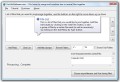
Use this great File Joiner software to join files of pretty much any file type together! You can select individual files, and merge or join two together, or you can recursively search through directories and all sorts of different file types together!
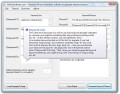
This software is great keyword generation software that allows you to easily generate keyword phrases for your website. It is an excellent search engine optimization tool. You simply enter a number of keywords into a list, phrase 'templates', and then the software will randomly generate a number of keyword phrases. You can control the number of random iterations (how many keywords are in each phrase), as well as the selection of the words you want. Afterwards, you can insert this phrases into your title tags, meta description tags, for your entire website or particular HTML page
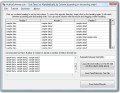
Sort text lists alphabetically and easily using this software! Using this sorting software, you can sort lists in ascending or descending order, specify which column is the sortable column that you wish to sort by, sort numerically, sort comma separated files, sort tab delimited files, or specify a custom delimeter for text fields.
You can change and set the last modification date, the creation date, as well as the last access portion of the time stamp, touching the timestamp. You can recursively change the file modification and creation dates. Simply select a group of files, either using wildcards or using multiple selections. Then, click on a file to see its file attributes. Afterwards, you can either choose to set the timestamp individually, or apply a certain file timestamp to all the selected features.
Comentáriosrios do Ultimate Unit Converter
Please add a comment explaining the reason behind your vote.

ofertas de hoje de iPhones »





Por mim devem passar a dar informaçoes usando a linguagem portuguesa
por que nem todos que falam e lé em ingles.
Para mais novidades podem enviar para os meus endereços.
NB: So a lingua portuguesa.
Save | Cancel
Baixei no dia 4 , fui instalar no dia 5 e não funcionou, so pode usar no dia que foi disponibilizado?
Save | Cancel