Todos os dias oferecemos software com licenças GRATUITAS que do contrário você teria que comprar!

Giveaway of the day — Tidy Favorites Pro
Tidy Favorites Pro esteve disponível como oferta em 27 de abril de 2009

Tidy up your favorite bookmarks! Organize your favorite links as live thumbnails instead of trying to work through plain-text links. Open, delete, move, resize and update bookmarks in a single click. Conveniently use the same set of favorites and the same convenient user interface in all of your browsers - IE, Firefox, and Opera!
Key features:
- Synchronize Bookmarks
- Cut part of the site for Live Thumbnail
- Choose from eleven cool skins
- Use tabs to logically divide your bookmarks
- Add or remove user defined search buttons
See also a related video.
Only for GivewayOfTheDay users: 20% discount for Tidy Favorites Pro!
Requisitos do Sistema:
Windows 2000/2003/XP/Vista
Publicado por:
OrdinarySoftPágina Oficial:
http://www.tidyfavorites.com/index.htmlTamanho do arquivo:
5.48 MB
Preço:
$19.99
Títulos em Destaque
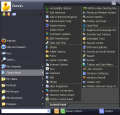
Do you have hundreds of programs in your Start menu? Do you waste time looking for the program you need? Try Vista Start Menu to instantly find what you need among the large amounts of information. Vista Start Menu is effective for advanced users and easy to use for beginners. Start working with pleasure!
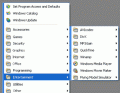
Are you tired of searching for programs in a long "Start Menu" list? If so, this program is for you. It allows you to arrange all the shortcuts in the Start Menu. Your Start Menu looks neat, and you can easily and quickly find any program you want. For example, you can create a special "Games" category, and when opening the Start Menu you will see a "Games" section (instead of a list of the games) in which you will find the game you need.
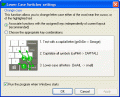
Lower Case Switcher is a simple, but very useful utility that allows you to correct UPPER and lower case typos, that can occur if you accidentally left the Caps Lock button turned on. All you have to do is press a keyboard hotkey and the selected text, or last typed word will be converted to upper and/or lower case.
GIVEAWAY download basket




ofertas de hoje de iPhones »





Comentáriosrios do Tidy Favorites Pro
Please add a comment explaining the reason behind your vote.
There is a Firefox Addon which does the EXACT SAME THING. It is called Smart Bookmarks Bar and you can download it here.
Save | Cancel
Where to begin? First, some people here comment without even looking at the product's website; Tidy Favorites isn't anything like some of the products/sites mentioned. Based on features, this does appear to be some form of the Pro version. If you install, I recommend copying and saving the license agreement, it contains information about disabling linked ads. You should reboot after installing.
Lots of integration issues. Doesn't integrate properly with IE8 or the Google Toolbar beta. There's an Open Tidy Favorites button in IE8, but not a button to Add to Tidy Favorites. The buttons are only available in the Google Toolbar beta (for IE8) if you're not logged in. Selecting a Tidy Favorite in IE8 with the Google Toolbar beta causes it to open a new tab using Google Toolbar beta, which is ultra-slow, prior to displaying the webpage. It said it integrated with Firefox, Opera, and Chrome, but not Safari. I did check Firefox and Opera, it did appear to work OK.
Problems, problems. Very resource and Internet-intensive. Three processes, one of which I have trouble displaying information about, except via my security software. Sets itself up to punch through the useless Windows Firewall, which I don't use. Extremely dangerous. For one, there's no way to guarantee Internet safety; the very first access was something related to PayPal. It's effectively running IE in the background, so browser windows can and do pop-up, and all sorts of crap can run (fortunately, I have security software). Picks up local content, perhaps from IE8's History.
It generates a massive thumbnail database; even with fast broadband, I have lots of Favorites and it's been running continuously for a very long time (an hour so far). Doesn't appear to have settings for how often to update, would be completely useless if it does this even daily.
Utility. I have lots of questions as to the value, even without all of the safety and performance issues. Thumbnails are highly dependent upon browser window size. Defaults are upper-left corners of pages, so many have to be customized. Limited text display, although tooltips work. IE8 already has excellent Favorites and History integrated searching with Windows Search 4. You can open a Favorites folder as a tab group and use IE8's thumbnails view, which I prefer over Tidy Favorite's. More integration issues. I have a single-click interface, but Favorites sub-folders are displayed as folders in Tidy Favorites, not tabs. The folders have to be double-clicked.
There are far too many security (I keep getting security alerts even while writing this), performance, UI, pop-up, etc., issues with this, and too little utility, so I'll definitely be uninstalling this. Actually, it's rare for me to uninstall GOTD offerings, I usually just disable them, but this is too dangerous.
Save | Cancel
Good:
-Smooth and error free installation.
-Support Major browsers, IE, FireFox, Opera
-Can transfer/Synchronize favorites between browsers.
-Features as import/export bookmarks between browsers and Automatic Synchronization are awesome, so you can always get similar bookmarks your browsers
-Nice tabbed interface for your bookmarks. Each tab is representing your Bookmarks folder
-Bookmarks are appeared as Big Icons in each tab, including the Suborders.
-Support to add search button in User Interface (Local Web Application).
-Links to search via Google, Wiki, Images.
-Customize Thumnails options or individual bookmarks
-Application stay as Tray Icon in taskbar, with a menu on right click.
Bad:
-User interface is not so friendly. In the default browser it is limited to only thumbnails, and you can't have views like details, list etc modes. Not good if you have big number of bookmarks.
-Its own interface appears as a separate web application, and you have to switch to that Tab/Page
-It took a lot of time and bandwidth, as it tries to update the bookmarks thumnails/icons.
-TidayFavorities.exe is taking at least 45MB of RAM, which is quite big for this kind of application.
Save | Cancel
It installed fine on Windows XP SP3, and when I checked for an update it went to a newer free version at
http://www.tidyfavorites.com/TidyFavorites_Setup_magazine.exe
Save | Cancel
Regarding my comment #20, I did uninstall this, it does appear to have done a pretty good job of uninstalling. The database, which can be massive (I stopped it after several hours and 441 MB), will be placed in the Recycle Bin when you uninstall. Running IE in the background to generate thumbnails just isn't practical; you get pop-ups, media players of all types run, Acrobat runs, etc. It also crashed repeatedly while building thumbnails.
This is an interesting idea which wasn't well thought-out. If you have only a few Favorites, do you really need it? If you have a lot, it quickly becomes impractical. I find the Favorites/Bookmarks/History, and sometimes content (Opera), text searches which many browsers do, to be quick and efficient.
Save | Cancel